ARTWORK GUIDELINES
How to Prepare Artwork for Laser Engraved Metal Cards
Follow these guidelines for cleaner engraving, sharper detail, and the best possible finished result on your custom anodized aluminum cards.
Download Artwork Guidelines PDF ↓Fast Turnaround
Most orders ship in 1–2 business days
Artwork Reviewed
Files checked before engraving
10,000+ Orders
100,000+ engravings shipped
Engraved In-House
Produced in South Carolina
Preparing Artwork for Laser Engraving
Learn how to prepare artwork for laser engraved metal business cards, custom aluminum cards, plaques, keepsakes, signs, and other engraved products. Clean source artwork helps us preserve more detail, create sharper engraving, and move your project into production faster.
What File Types Are Best For Laser Engraving?
We accept most common artwork formats. Vector files usually produce the cleanest results for logos, text, line artwork, and other designs with clearly defined edges.
Resolution & Sizing Tips
Raster image quality matters because lower-resolution files contain fewer pixels and less usable detail. For photographs, logos, and other raster artwork, send the highest-quality original file available.
- 300 DPI recommended for raster artwork at intended size
- Use the highest-resolution original available
- Submit artwork at intended size when possible
- Vector files are preferred for logos and line artwork
- Avoid enlarging small screenshots or compressed images
Vector vs Raster — What's The Difference?
Vector Files
- Scale without pixelation
- Excellent for logos and typography
- Produce clean, defined edges
- Ideal for line-based artwork
Raster Files
- Built from pixels
- Best when supplied at high resolution
- Can lose detail when enlarged
- Often ideal for photographs and textured artwork
What About Color?
Laser engraving removes the anodized surface in the engraved areas and reveals the aluminum underneath.
Because the final engraving is not full-color printing, the colors inside your artwork usually do not reproduce as separate printed colors. Contrast, line thickness, image quality, spacing, and design detail are much more important.
Don't Have A Logo? That's Okay.
You do not need a professionally designed logo to create a custom engraved metal card.
We regularly work with text-only layouts, QR codes, signatures, photographs, social media handles, website URLs, illustrations, and other customer-supplied artwork.
Can I Request A Proof Before Production?
Yes. Digital previews or engraving proof photos are available upon request before production.
If you would like to approve your artwork before engraving begins, request a proof when placing your order or contact us immediately afterward.
For some projects, a photograph of an actual test engraving can be especially helpful because it shows how the artwork translates to the metal surface rather than only showing a digital mockup.
How To Send Us Your Artwork
- Upload artwork directly on the product page
- Add engraving notes during checkout
- Send multiple logo versions if you're unsure which is best
- Include special instructions or layout requests
- Every submitted file is reviewed before engraving
Email replacement artwork, additional files, engraving instructions, layout notes, or other project information directly to:
michael@custommetalbusinesscards.com
Include your order number so we can match the files to the correct project.
We Can Help Prepare Your Artwork
Your artwork does not have to be perfect when you send it.
We regularly prepare customer artwork specifically for laser engraving. Depending on the project, that can include cleaning up logos, improving contrast, adjusting layouts, preparing photographs, optimizing QR codes, or rebuilding simple graphics when necessary.
Whether you have a clean vector logo, a screenshot, a photograph, a rough sketch, or simply an idea, send us the best material you have and we'll determine the best way to prepare it for engraving.
If we notice a problem that could affect the engraving, we'll reach out.
If we think the artwork could engrave better with an adjustment, we'll let you know before production.
- 10,000+ orders shipped
- 100,000+ engravings shipped
- Artwork review included
- Design assistance available
- Direct project support when needed
Artwork ready? Upload your design and we'll take care of the rest.
Why Artwork Preparation Matters
Laser engraving translates your artwork directly into the anodized surface. Clean lines, sufficient contrast, readable text, and properly prepared images help us preserve more detail in the finished piece.

Precision Laser Engraving
Fine lines, text, logos, and detailed artwork are prepared specifically for the engraving process so the finished result stays as clean and readable as possible.
Anodized Aluminum
Our cards are made from anodized aluminum. The laser removes the anodized surface in engraved areas to reveal the aluminum underneath.
Permanent Engraving
The design is created by engraving the anodized surface, so there is no printed ink, sticker, or surface-applied graphic to peel away.
In-House Artwork Review
Artwork preparation, engraving, inspection, packaging, and fulfillment are handled through our South Carolina shop.
ARTWORK ENGRAVED IN METAL
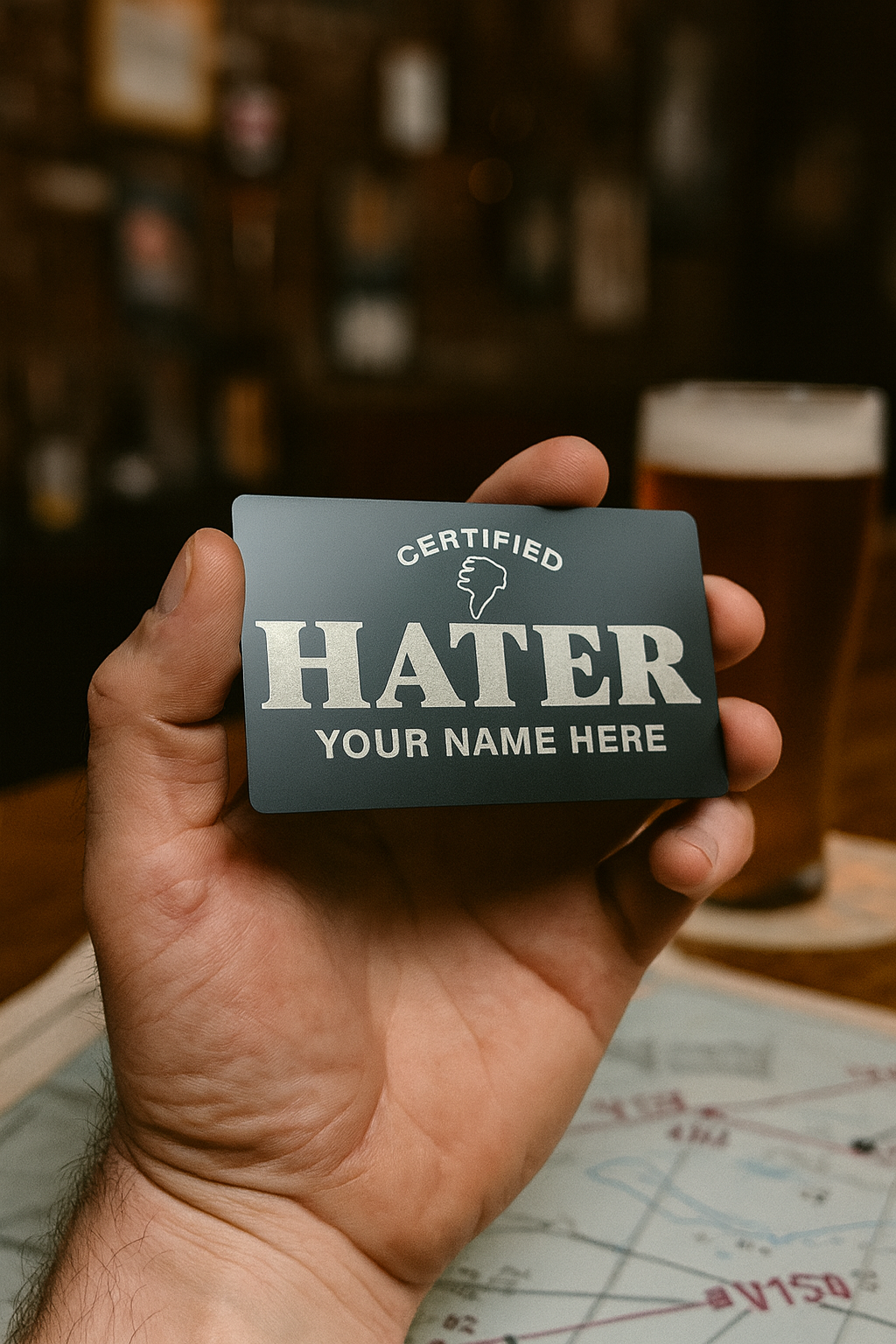
See how logos, typography, illustrations, photographs, QR codes, detailed linework, and personalized designs translate into laser-engraved anodized aluminum.

Custom Metal Business Cards
→
Best-Selling Keepsakes
→
Metal Playing Cards
→
Metal Tarot Cards
→
Funny Metal Gag Gifts
→
Workplace Humor
→
Patriotic & Veteran Gifts
→
Religious & Inspirational
→
Love & Relationships
→
Restaurant & Bar Signs
→
Aviation & Pilot Gifts
→
Gaming Gifts
→Artwork Questions
Common questions about files, artwork preparation, photographs, QR codes, proofs, and submitting updates.
Looking for information about materials, colors, shipping, quantities, reorders, or general ordering? Visit our full Frequently Asked Questions page .
Vector artwork is preferred for logos, text, and clean linework because it can be resized without losing quality. High-resolution PNG, JPG, PDF, PSD, and other artwork can also produce excellent engraving results.
Send the highest-resolution original you have. Small screenshots, heavily compressed images, or files enlarged from a low-resolution source may contain less usable detail.
Photo engraving is monochrome rather than full-color printing, so lighting, contrast, image resolution, subject detail, and composition all influence the finished result.
We can often clean up logos, improve contrast, rebuild simple graphics, adjust layouts, or otherwise prepare customer artwork so it translates more effectively to engraving.
If you're unsure about your file, send it to us for review .
For reliable scanning, the code needs sufficient size, contrast, and a clear quiet area around it. We review QR artwork before engraving and can help prepare it when necessary.
If you want to approve a proof before engraving begins, request one when placing your order or contact us immediately afterward.
Email your updated file and order number to michael@custommetalbusinesscards.com or use our Contact page .
Because many orders move into production quickly, changes cannot always be made once engraving has begun.
TURN YOUR ARTWORK INTO METAL.
Upload your logo, artwork, QR code, photo, or idea. We'll review your files before engraving and help make sure everything is ready for the best possible result.